Step 0
Install Laragon
First, download and install Laragon from the official website.
laragon.org/downloadStep 1
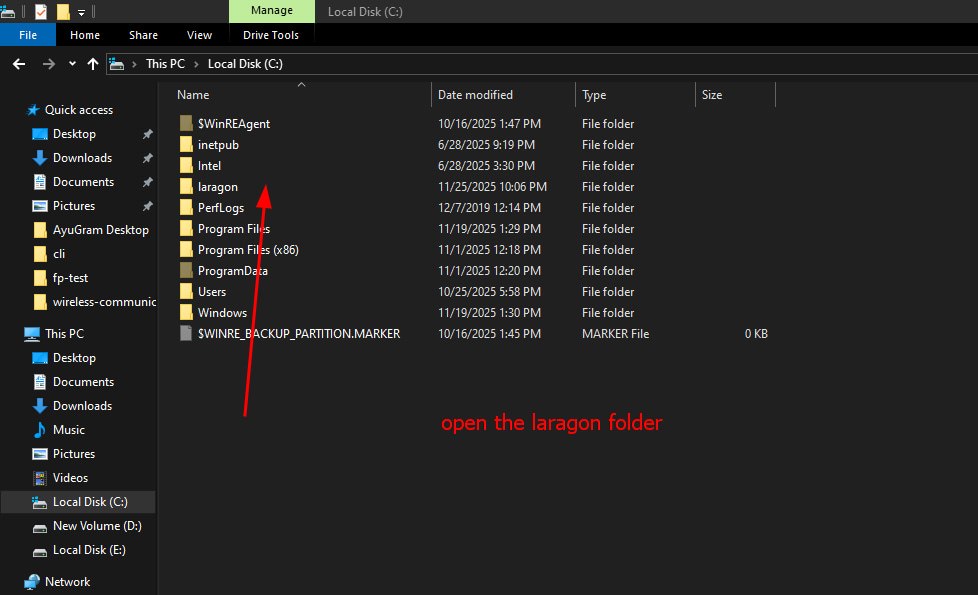
Step 2
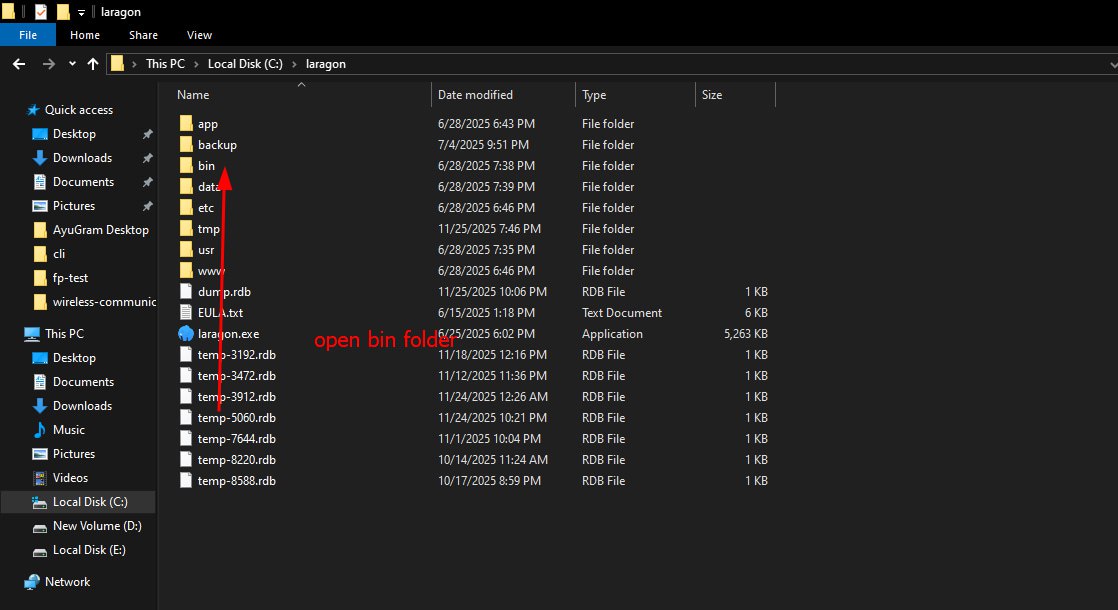
Step 3
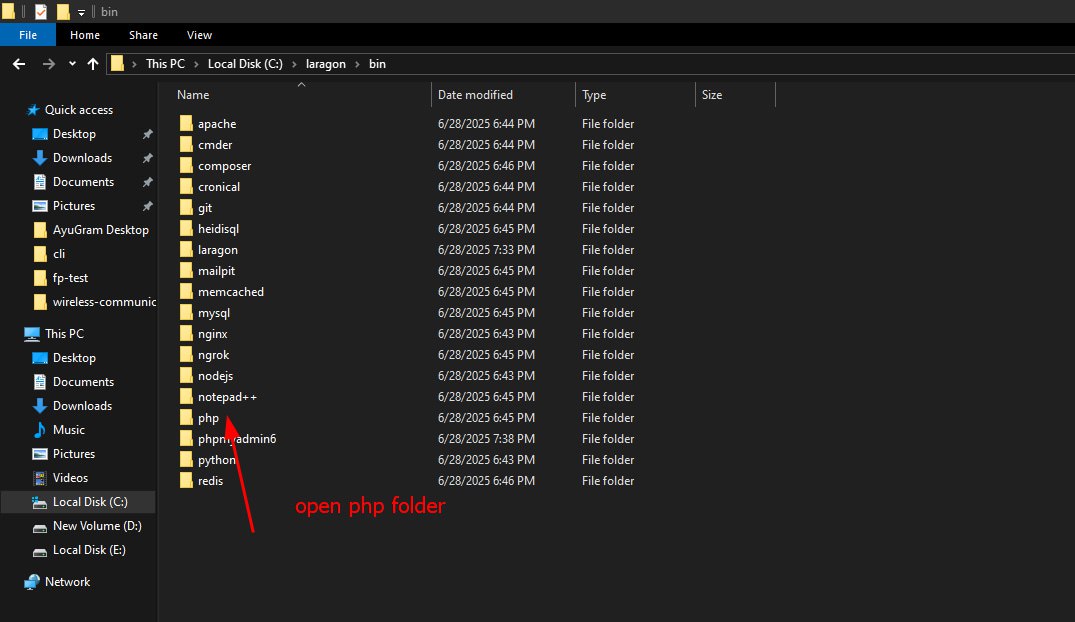
Step 3-
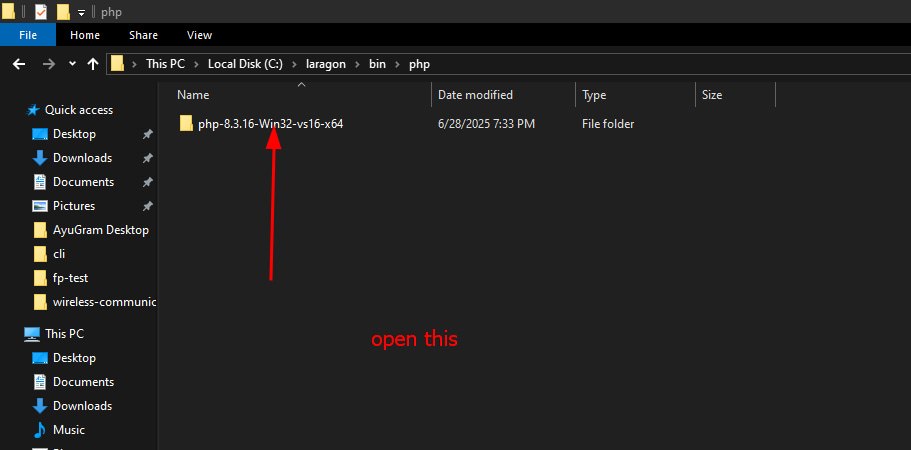
Step 4
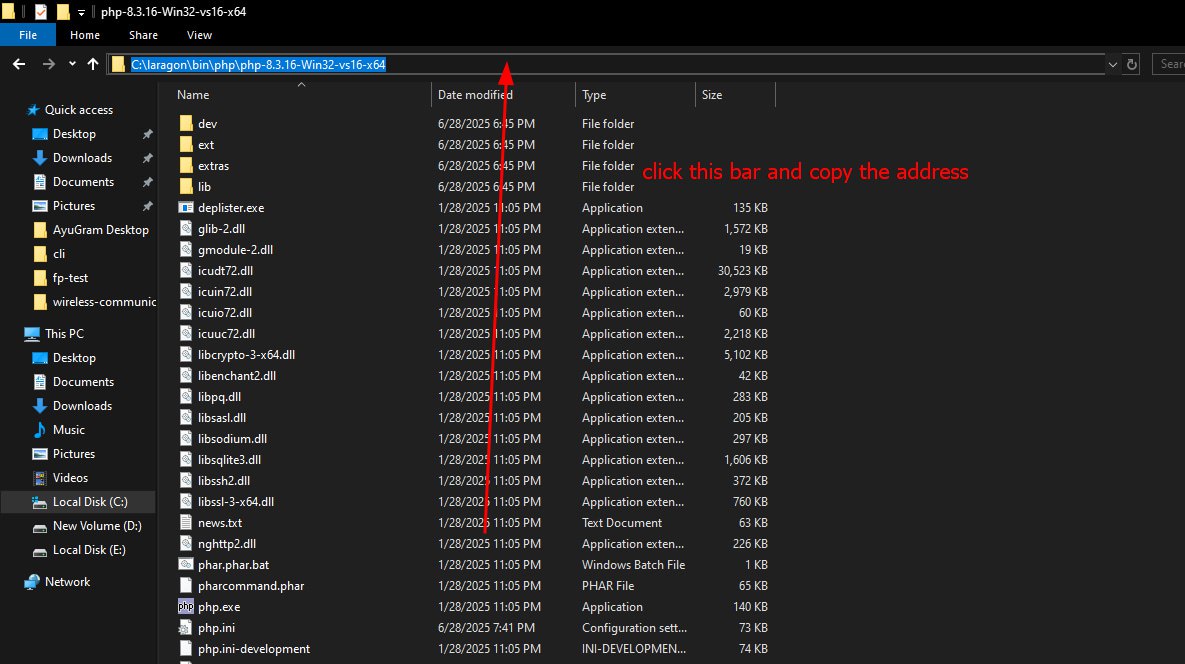
Step 5
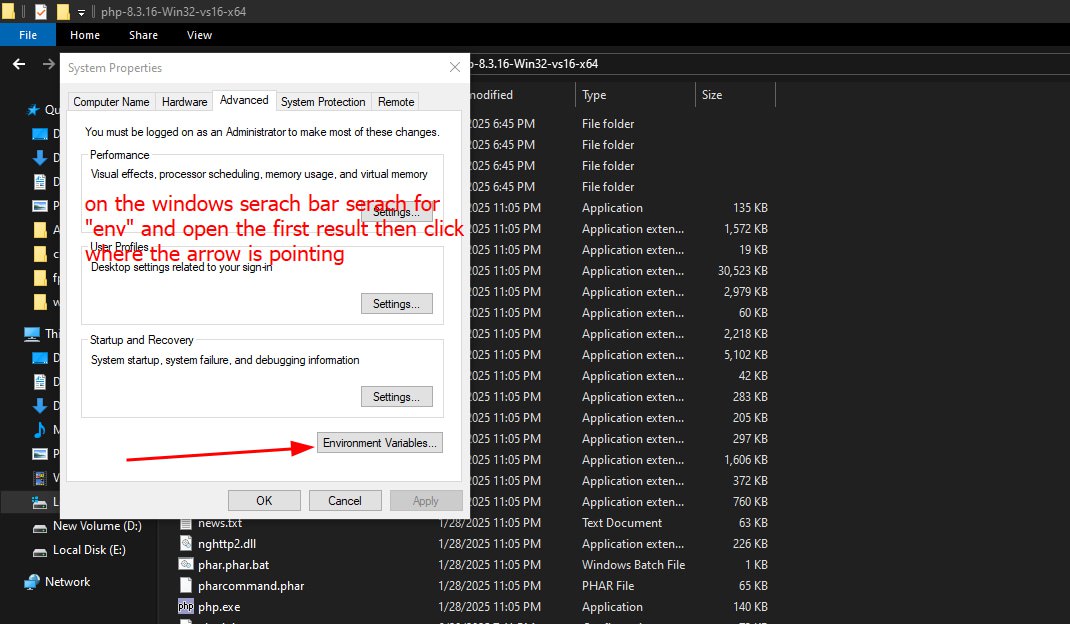
Step 6
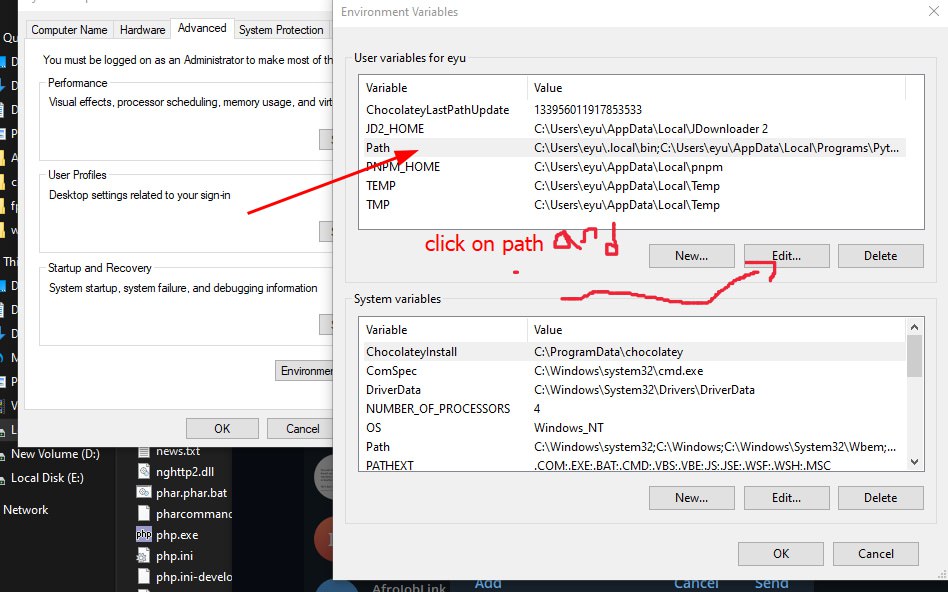
Step 7
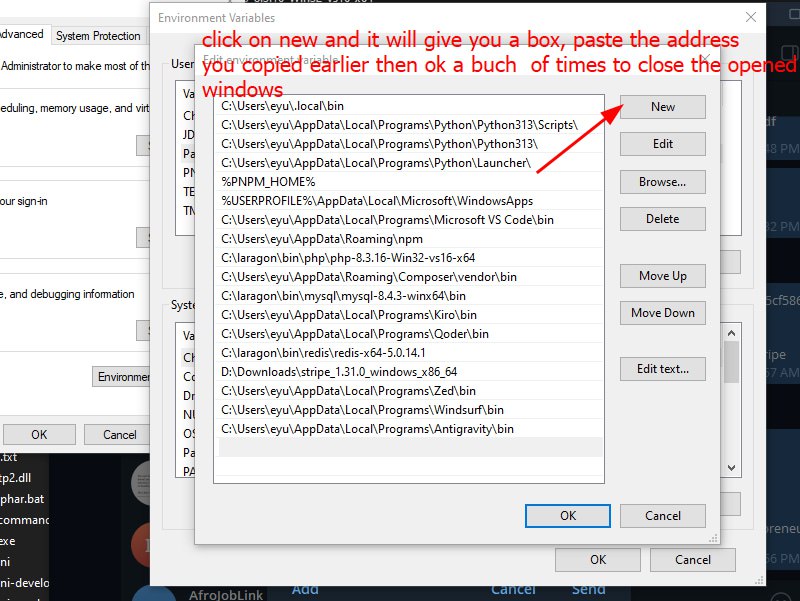
Step 8
Install Composer
After you completed the above steps, download and install Composer.
getcomposer.org/Composer-Setup.exeDatabase setup and migrations
Step 9
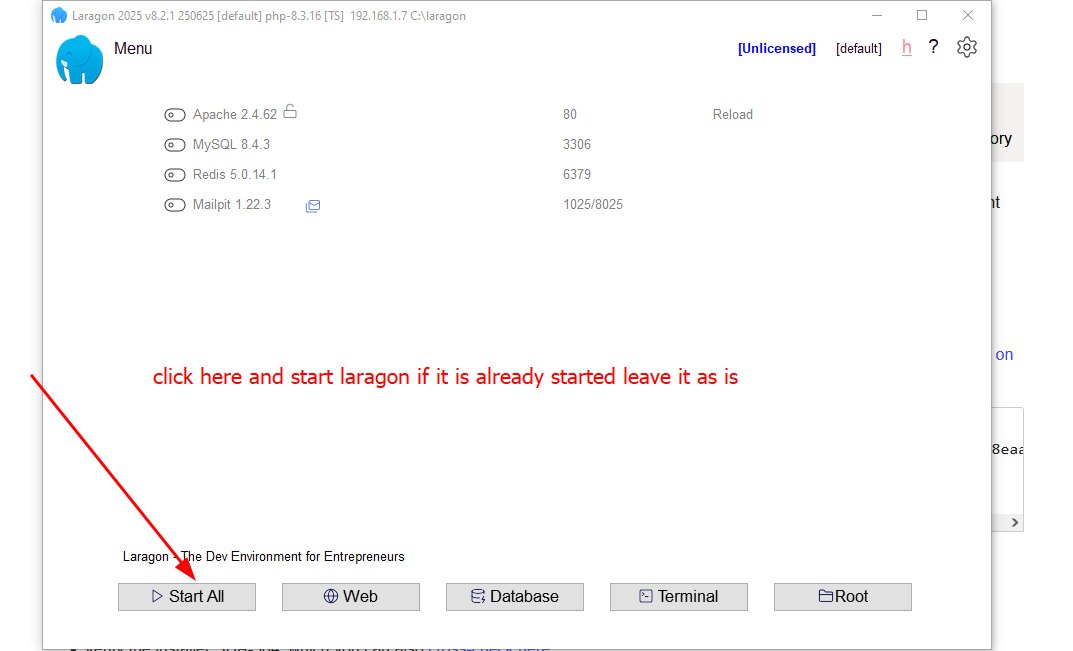
Step 10
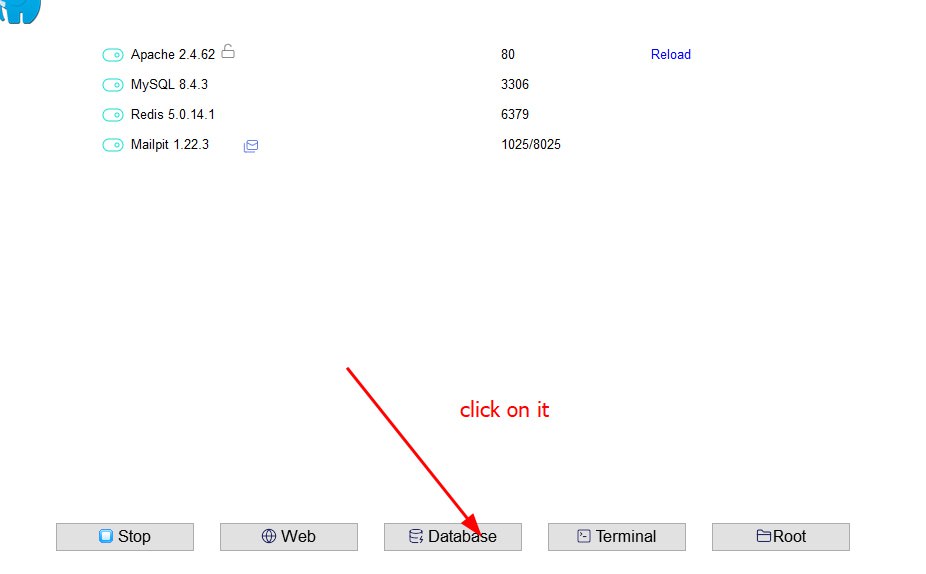
Step 11
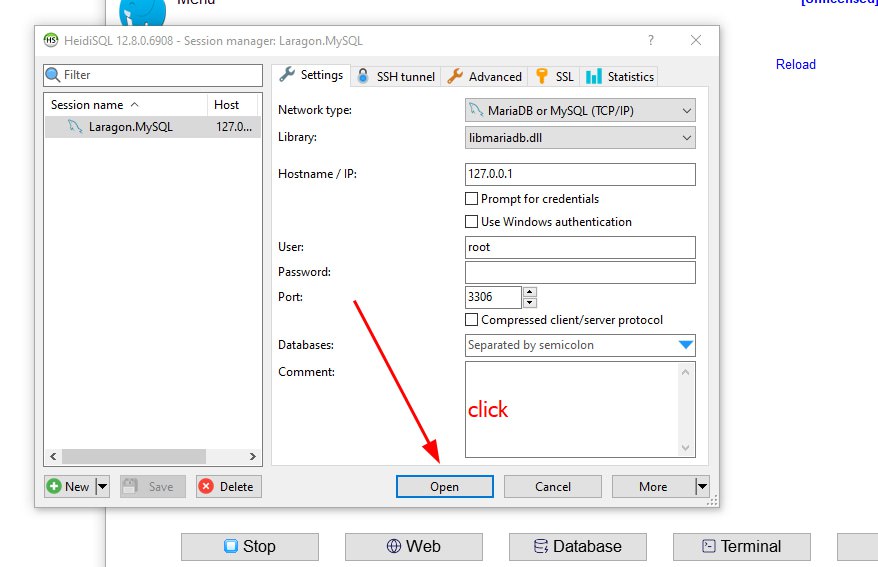
Step 12
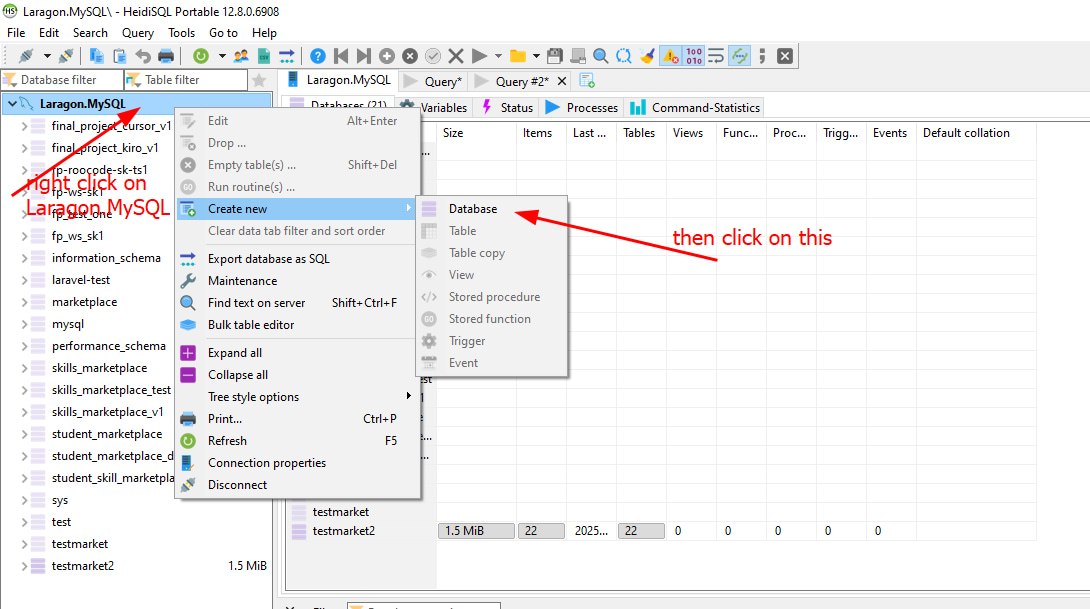
Step 13
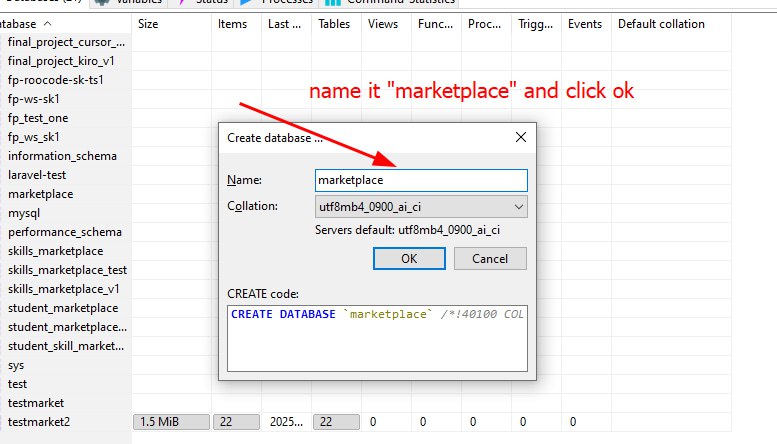
Step 14
Download Project
Download and extract the project zip file.
Step 15
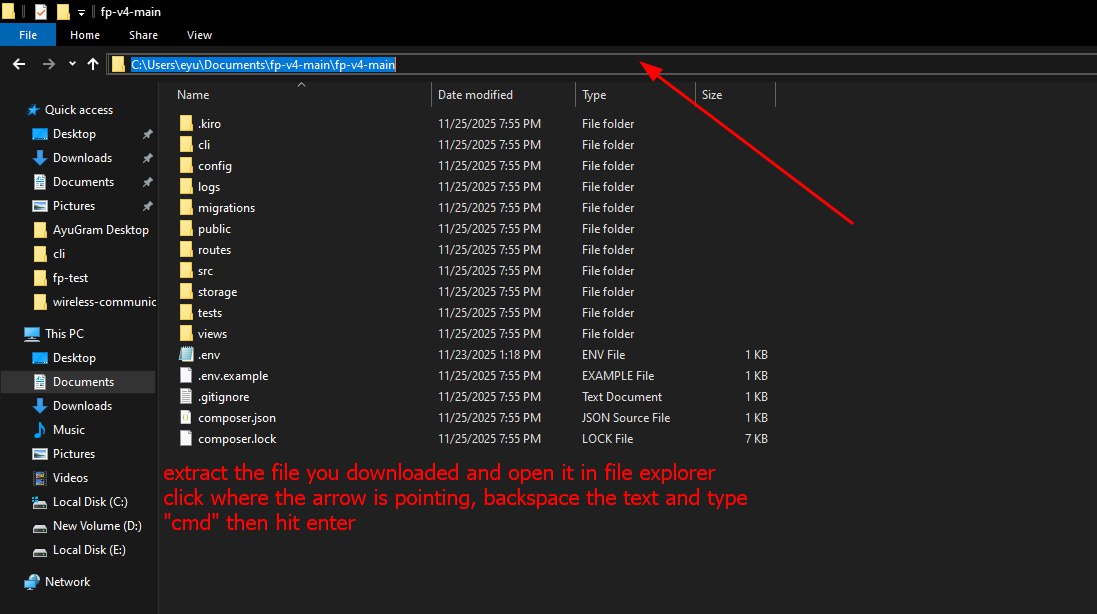
Step 16
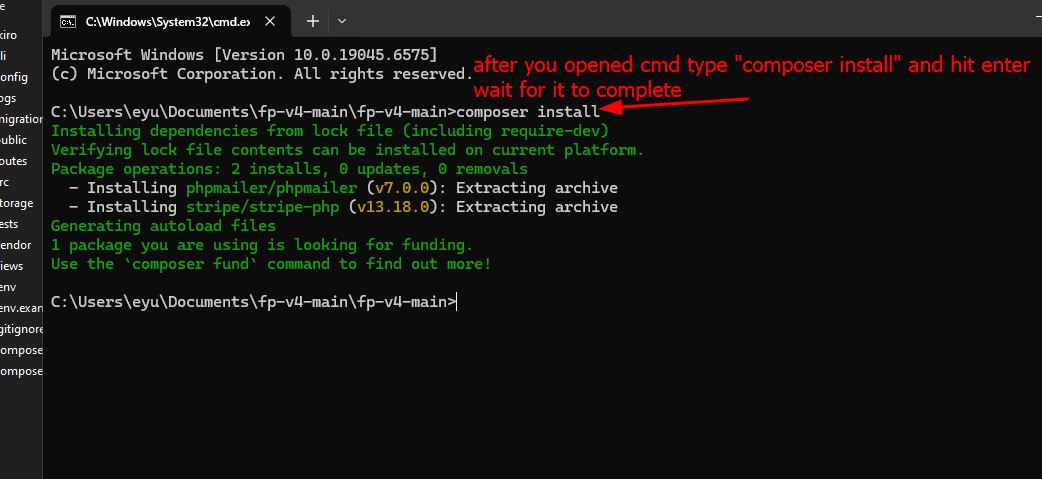
Step 17
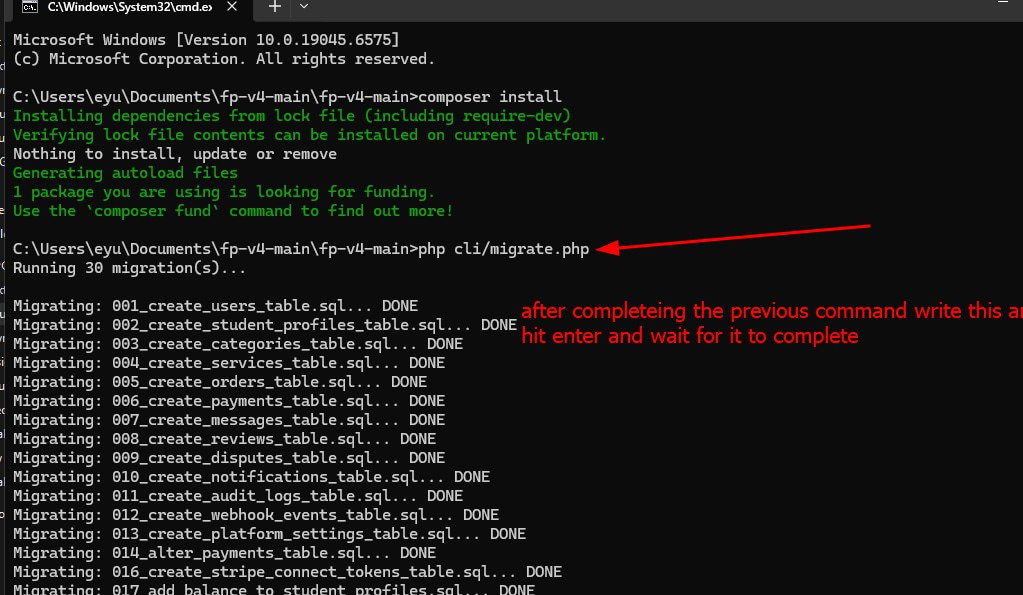
Step 18
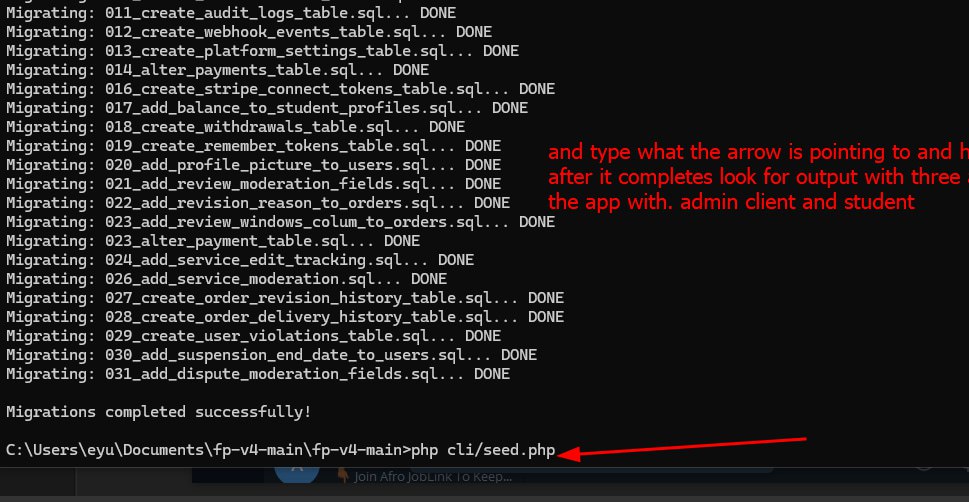
Step 19
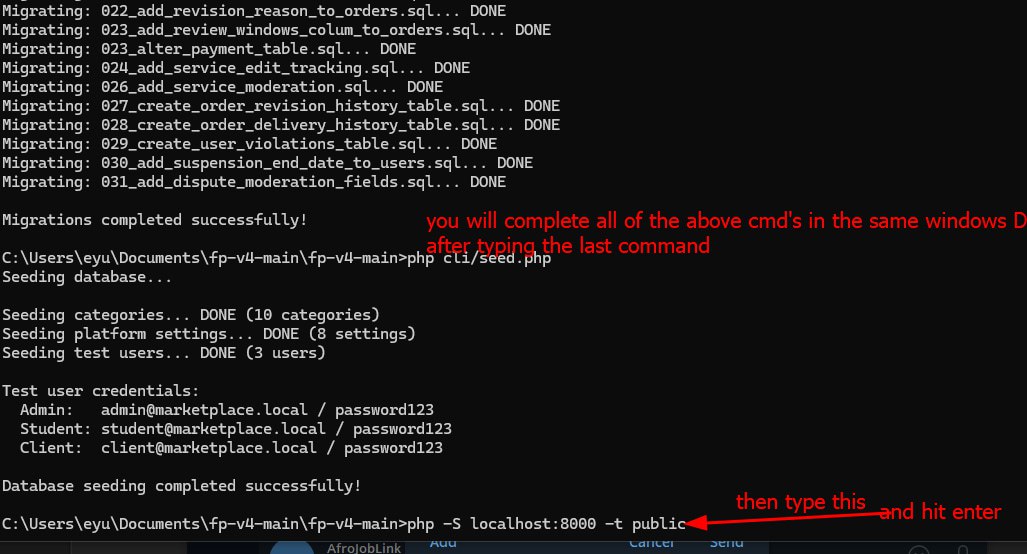 Do not close the CMD window after executing the above command
Step 20
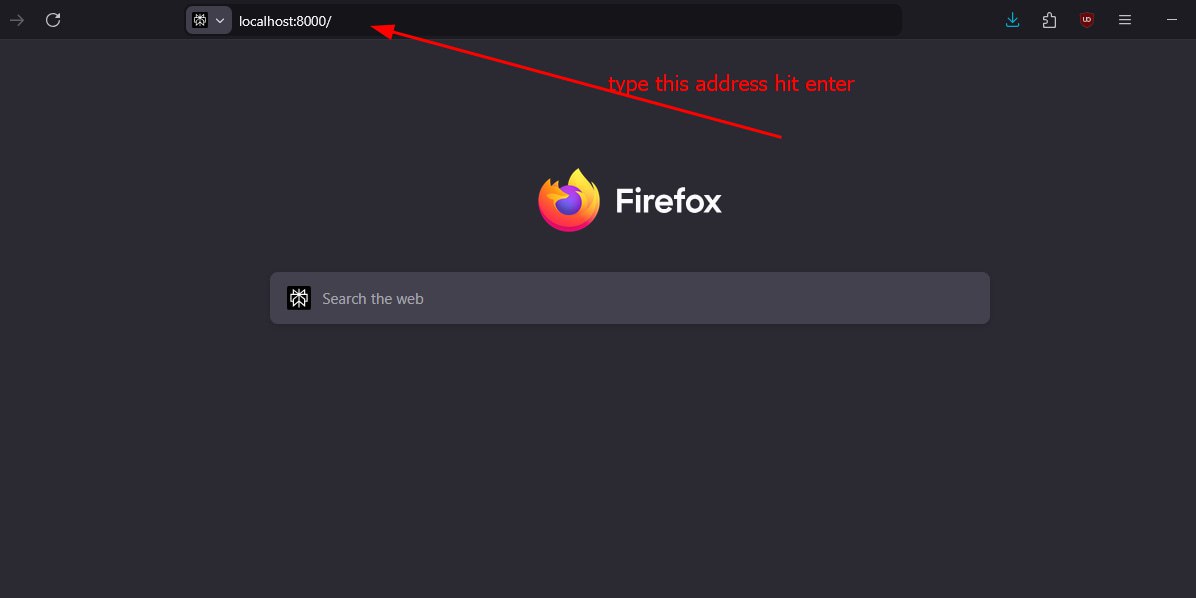
If the steps are followed sequentially the app should work.
Remember to use the user credentials from the seed script to test the app